Table of Contents
About the Charge Inspector
Quadra's Charge Inspector is a record of the allocation process for an account and coverage. It provides an audit trail for how an initial charge is calculated and then subsequently altered according to client-specified rules. The allocation process follows a hierarchy of equations and each step is outlined in the Charge Inspector.
Read more about the hierarchy of equations in an allocation.
Access the Charge Inspector from Preview
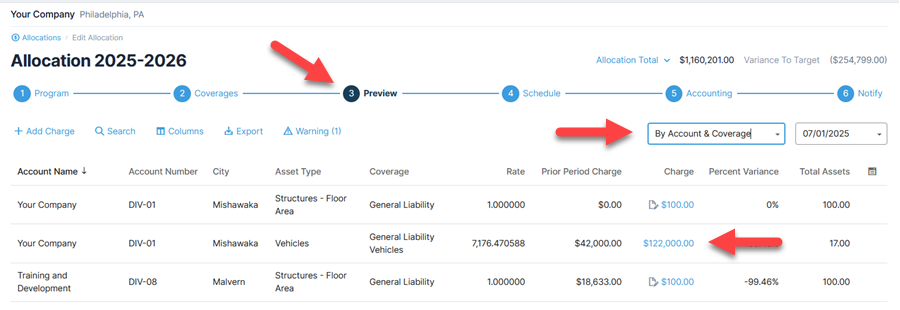
- From within Quadra, open the Allocations module.
- Click Edit under the action menu, then select Preview.
- Set the view to Account & Coverage.
- Select a row and click the charge. The Charge Inspector illustrates activity at the account and coverage level.
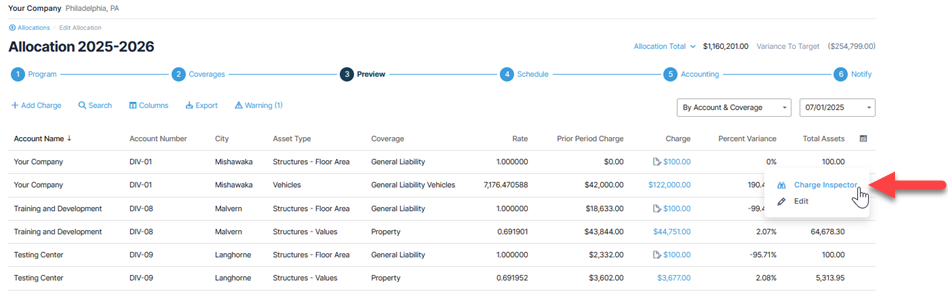
Alternatively, you can click Charge Inspector under the action menu or access it from the Allocation Schedule.
Calculation States
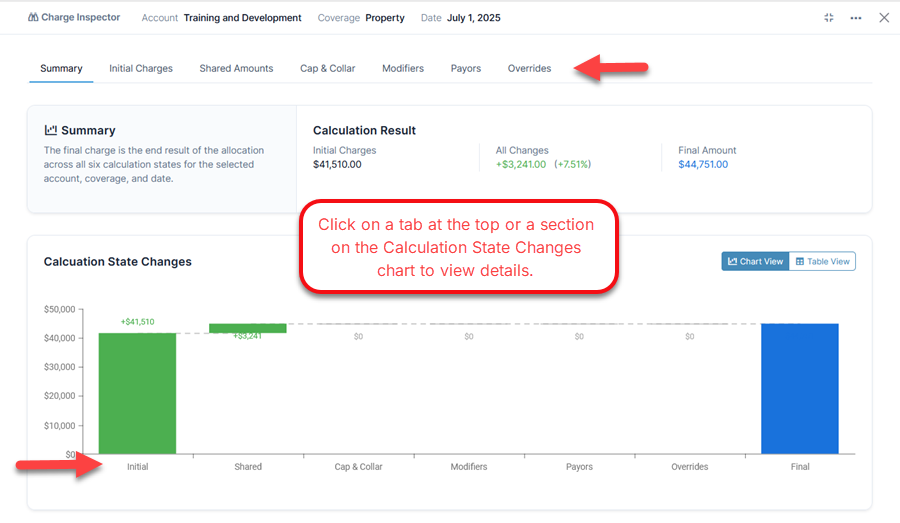
The Charge Inspector begins with the Summary tab. The additional tabs, known as calculation states, progress according to the allocation equation.
Charge Inspector tabs: