Download the Asset Change Summary or the Charge Summary
Charge Summaries and Asset Change Summaries are available for download from the Inspectors and the Allocation Schedule. The Summaries will open as web pages and can be downloaded using your browser's tools.
From the Allocation Schedule:
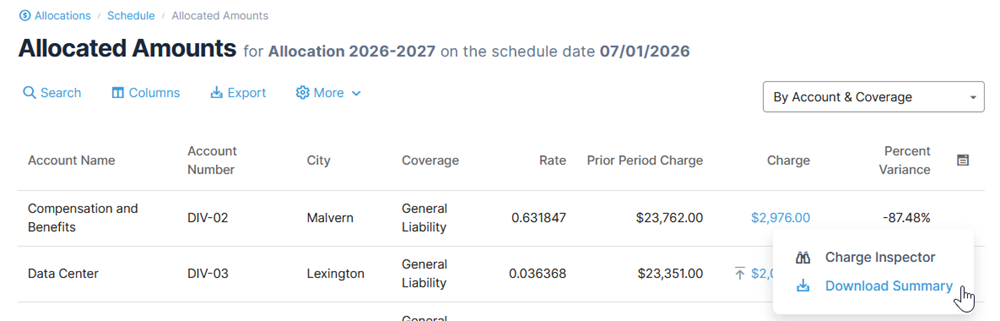
From the Allocation Schedule, select either Asset Changes or Allocated Amounts. Then choose an amount for a date and select Download Summary from the action menu.
For Allocated Amounts, be sure to select Account & Coverage as the view.
From the Asset Change Inspector or the Charge Inspector:
To access the Charge Summary or Asset Change Summary, first open either the Charge Inspector or Asset Change Inspector respectively. Then click Download Summary from the top right action menu on any of the tabs.

From the Invoice Inspector:
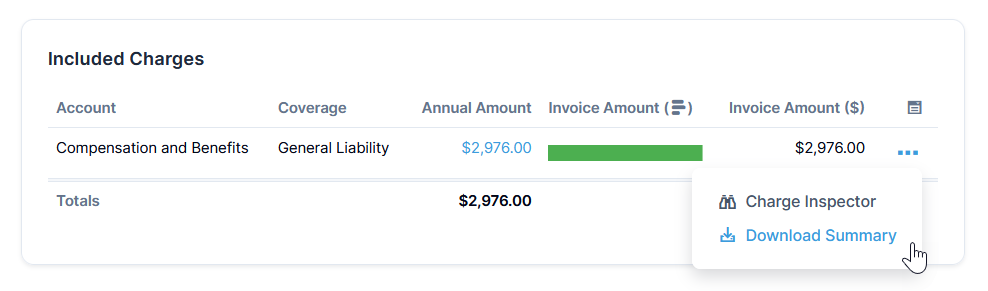
You can open the Charge Insepctor and Charge Summary from within the Invoice Inspector. Access the Charge Summary by clicking Download Summary from the action menu under Included Charges.