Smarter Support

Source: Adobe Stock
Getting help in Quadra® is now easier and more relevant. The new Support Center, introduced with v12.0 brings helpful resources directly into the area where you’re working. When you click the Help icon, the Support Center loads resources based on context. Quadra's AI agent has a significant amount of semantic knowledge about features and can therefore provide relevant links from multiple areas across the site. The Support Center provides easy access to the information most likely to answer your question so you don't have to sort through topics.
It’s a more connected, context-aware approach to support—putting the information you need closer to where you need it.
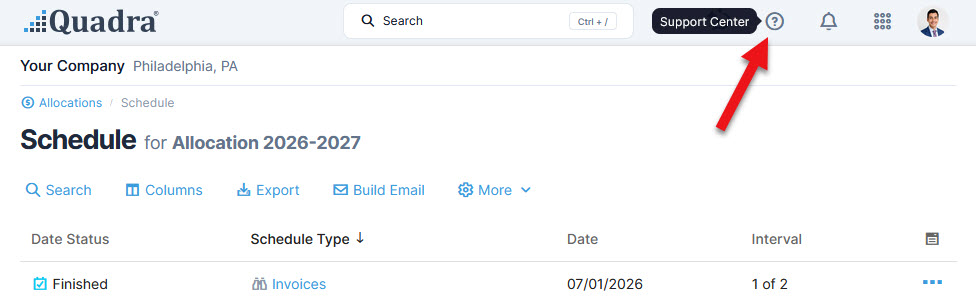
From within Quadra, click the help icon at the upper right to access the Support Center:
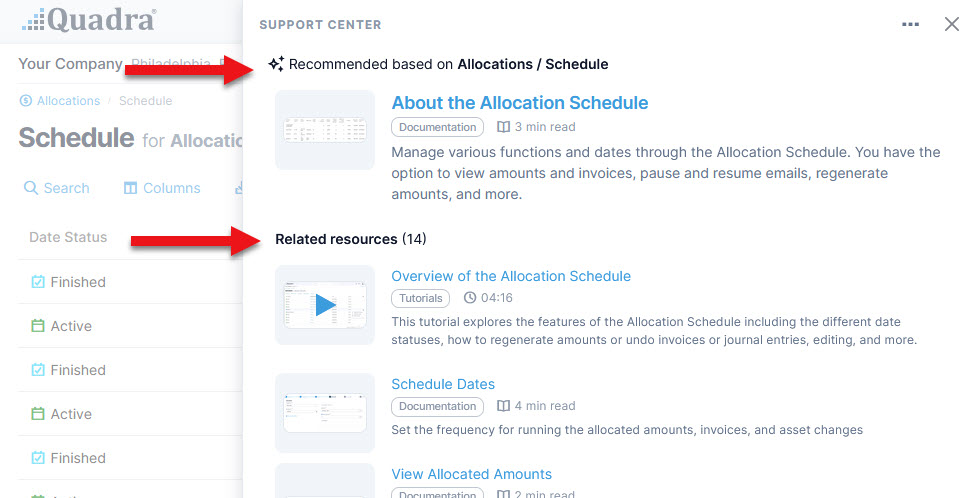
In this example, we have opened the Support Center while in the Allocation Schedule section of Quadra. Resource links related to that topic appear including documentation pages and tutorials explaining features. Links to related news articles and version histories will also appear if available:
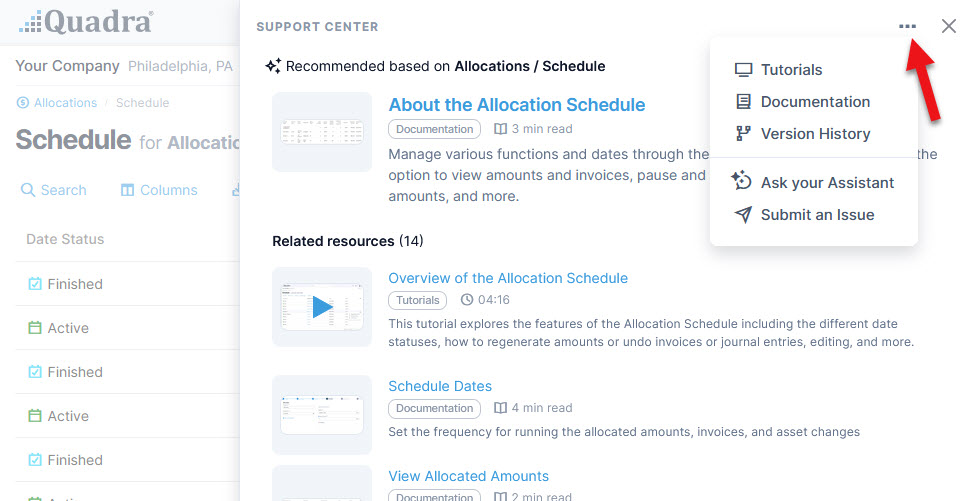
Click on the ellipsis at the top to access Quadra's support tools. These links also appear at the bottom of the window:
We hope this integrated system of support helps you better navigate Quadra’s features and allows you to more easily find answers. The Support Center complements the intelligent capabilities introduced with the AI assistant, which answers queries using natural language and performs analyses as well.
Stay tuned for more updates to strengthen your insurance management tasks!