Collaborating for Grant Management

Source: Adobe Stock
In January we released several improvements for document management in Quadra®. These enhancements were designed to make the tasks of adding, previewing, and editing documents easier. The new display mode is available for Documents home, Documents by owner and the documents section of the Grants module.
Document management is particularly useful within Quadra’s Grants module. This module was released last year to better assist our nonprofit clients in overseeing applications, assigning tasks, and meeting deadlines. Since the grant application process involves input from multiple team members, this module strengthens collaboration and communications. This overview explores the document management features and how they support the application life cycle.
Add documents easily
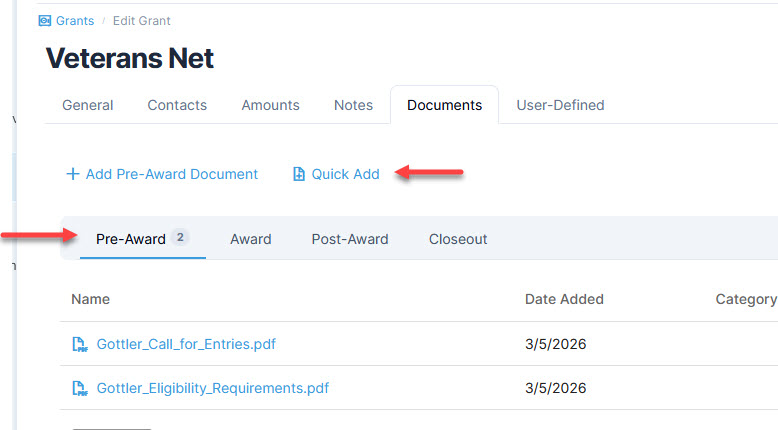
Users can now upload documents faster using the Quick Add and drag-and-drop features. The document tab can accommodate all relevant files and they can be organized according to the phase of the application process.
In the Grants module, organize files within the document tab using the phase options. Use either the Quick Add feature or drag-and-drop action to add contents:
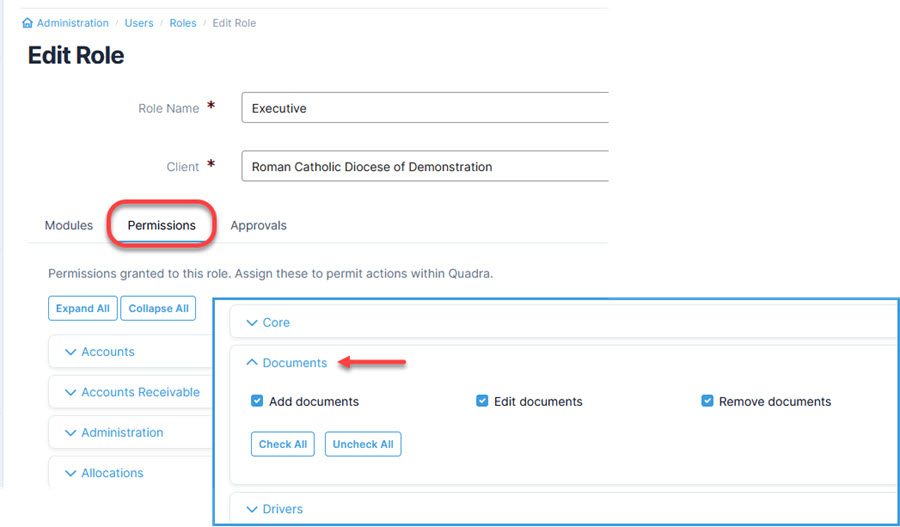
Make sure all team members with a role in grants management have access to the features. Permissions can be adjusted using the Administration module:
Document Viewer
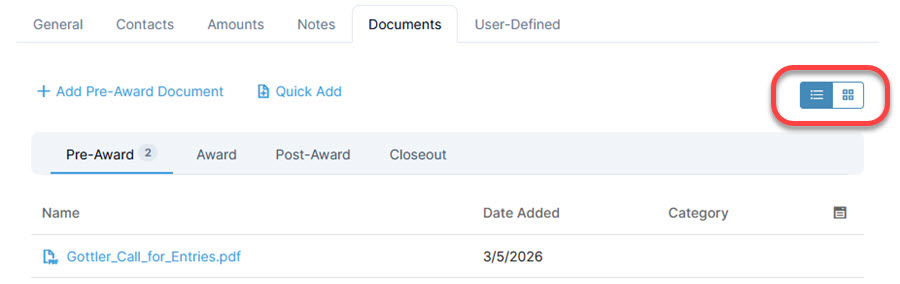
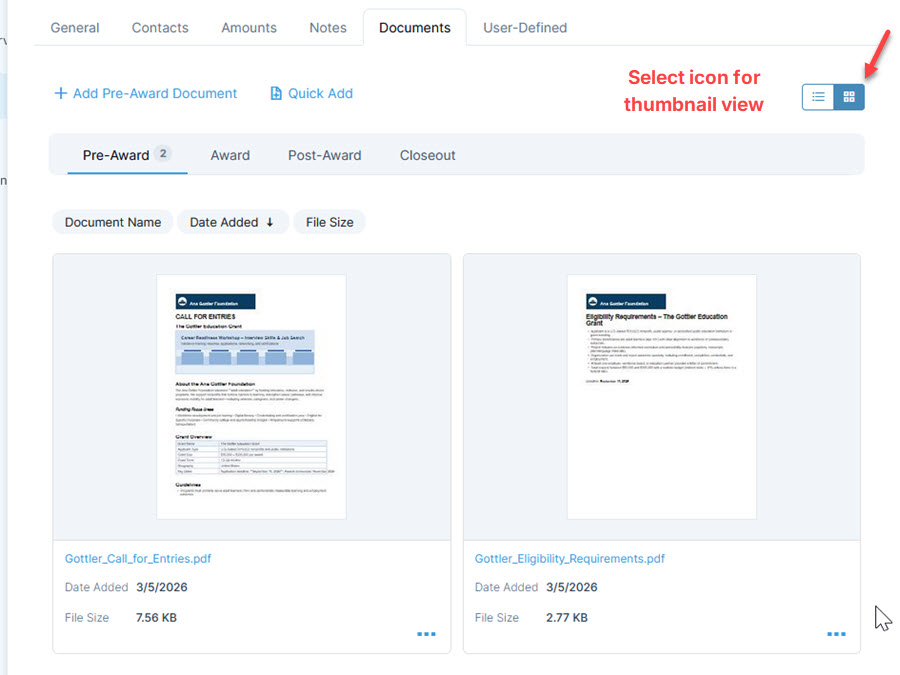
When trying to locate a particular file, previews often make the process easier. V11.2 introduced thumbnail views to support the search for documents. Thumbnail views can be accessed using the preview icon available above the document grid.
Click on the icon above the grid to toggle between the standard list and the thumbnail images:
Edit Word and Excel documents
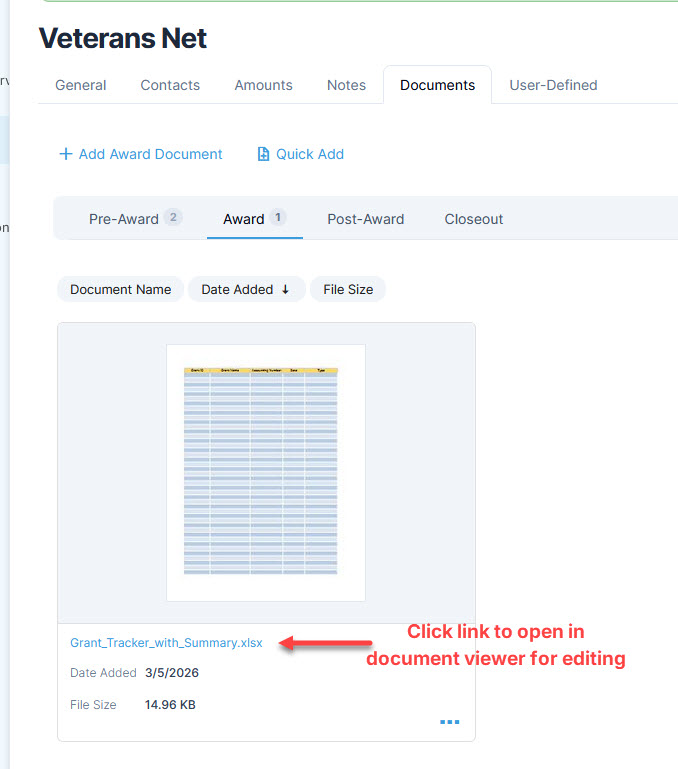
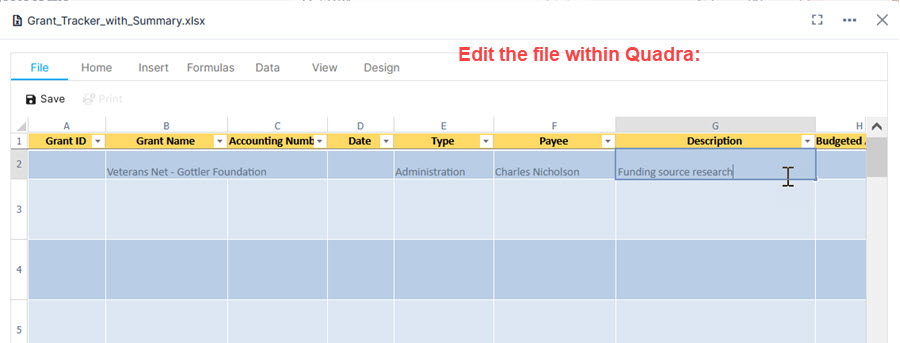
A significant enhancement with v11.2 is the ability to edit Word and Excel documents directly within Quadra through the new document viewer. This feature allows multiple team members to work on an active document together.
To edit a Word or Excel document, click the file link which opens the file in the document viewer. Make edits as needed and save:
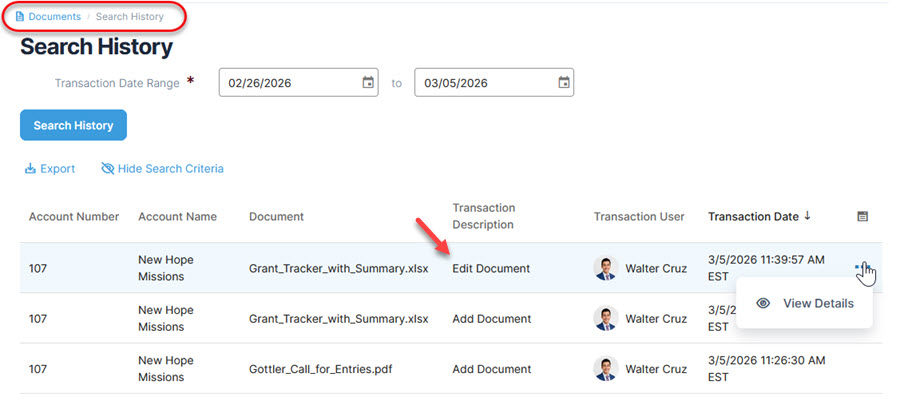
To find out who made changes, use the Search History feature in the Documents module:
AI-supported analysis
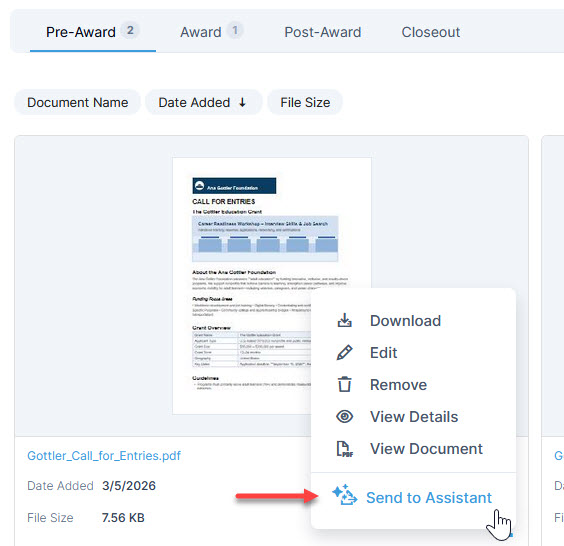
With the expansion of AI capabilities in Quadra, we introduced the assistant that navigates help pages, provides writing support, and performs document analysis. The document analysis feature is immensely helpful in creating summaries, outlines, or calculations.
Within the Grants module, access the assistant for document analysis by clicking here:
Success in collaboration
Grants play a major role in supporting nonprofit objectives. Inter-departmental communication is also essential and we hope these changes ultimately strengthen team efforts in grant and document management. Be sure to stay tuned for additional Quadra updates!