Document Management Made Easier

Image source: Adobe Stock
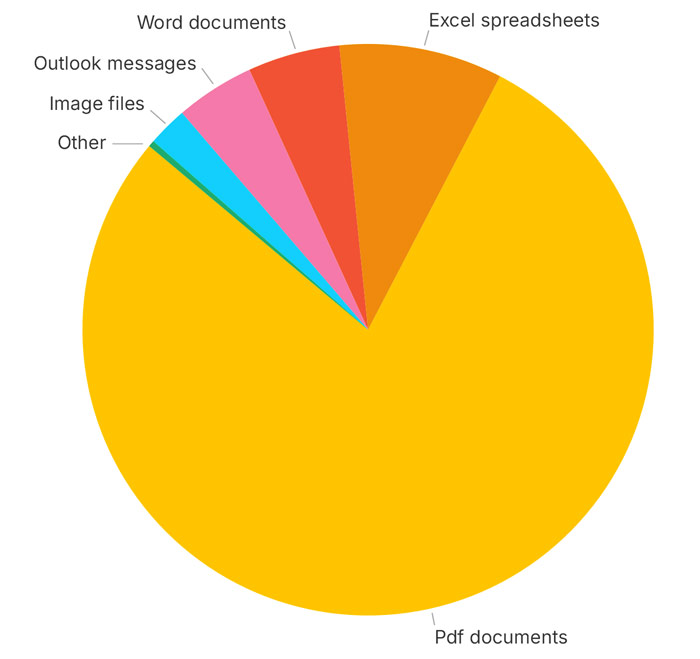
As part of release 11.2, we are pleased to introduce several new tools for managing, accessing, editing, and viewing documents in Quadra. The Documents module is Quadra is widely used by all our clients because it serves as a convenient system for filing images, receipts, correspondence, maintenance reports, sales records, lease information, forms, presentations, and more. The fact that document management is integrated with most modules in Quadra makes it immensely helpful in terms of locating specific documents. More importantly, the system ensures files are readily available to other team members. Across all accounts there are tens of thousands of documents stored in Quadra. While most are .pdf files, Quadra can accommodate over 20 file types.
78% of files stored in Quadra are .pdf documents:
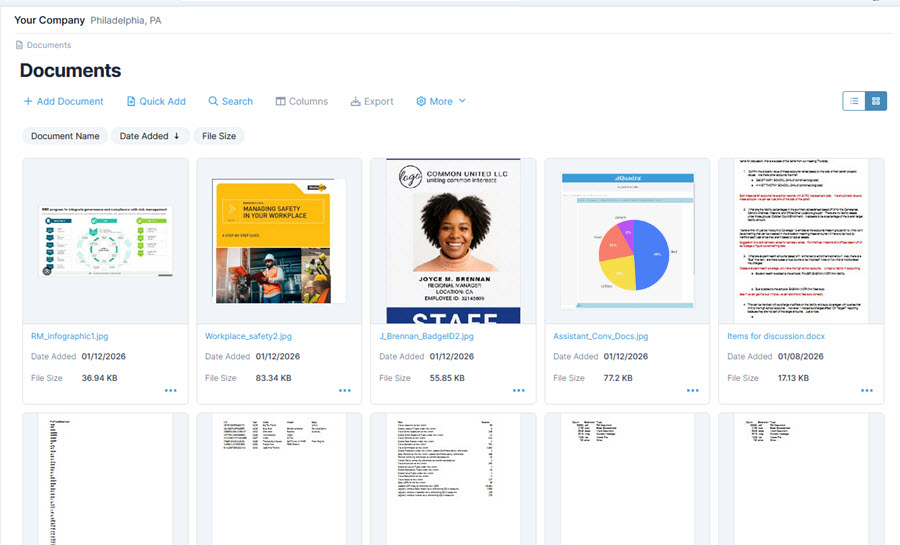
A significant enhancement with this release is the ability to view thumbnail images of documents so users can quickly assess the content. With so many .pdfs stored in Quadra, it made sense to offer this capability to streamline workflows. This feature supports file navigation and helps users locate needed documents faster.
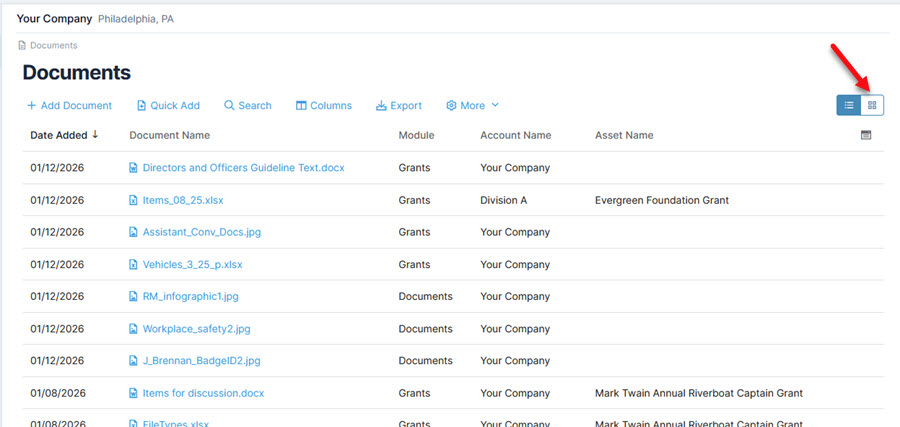
For a view of the thumbnails, click the display mode icon at the top right. Thumbnails are available for pdf documents, Excel spreadsheets (.xlsx), Outlook messages (.msg), Word documents (.docx) and image files (.jpg, .png, .gif, etc.) For Outlook messages, attachments are included in links at the top and will open in a new window. The display mode is available for Documents home, Documents by owner and the documents section of the Grants module.
Use the icon at the top to toggle between the grid and thumbnail views:
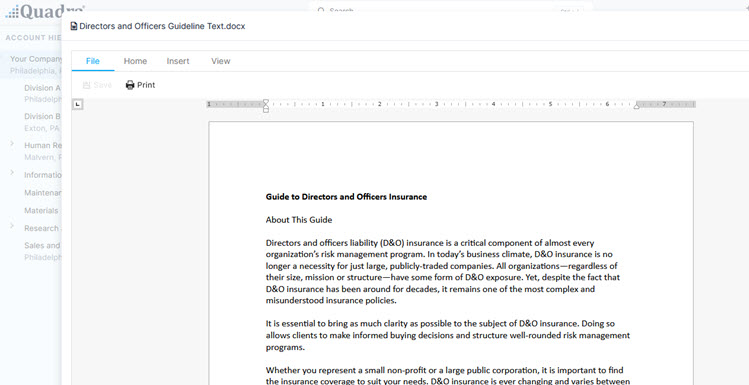
Another major enhancement is the new document viewer that displays documents directly in Quadra. Clicking on the thumbnail or the file name (available in grid or thumbnail view) will open the document viewer. Previously, documents could only be downloaded or opened in a separate browser tab.
Example of document viewer with tool bar at top left:
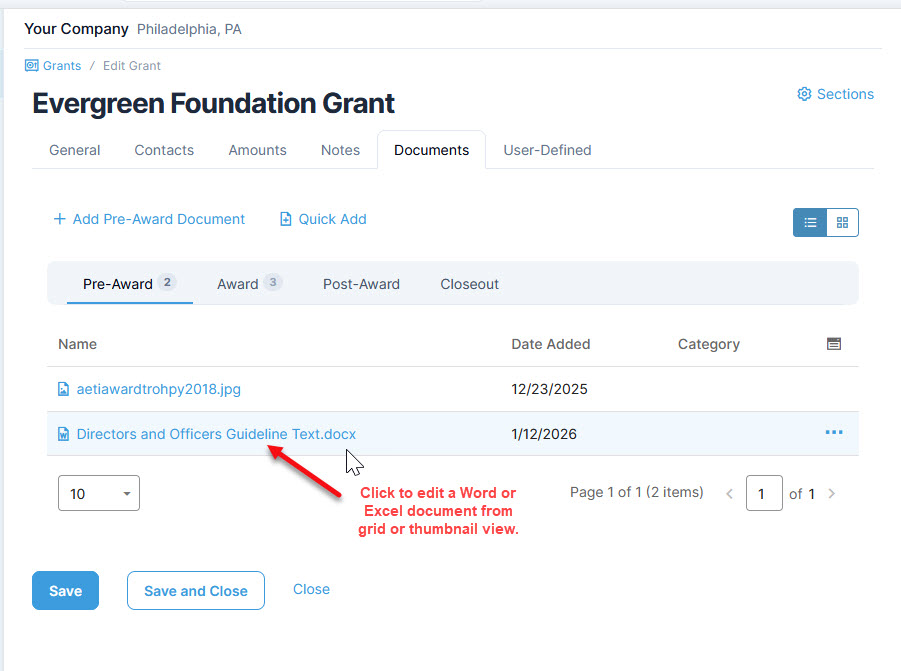
Additionally, users may now edit Excel spreadsheets and Word documents directly within the document viewer. This is extremely useful for clients working in the Grants and Projects modules, where frequent updates on documents are needed.
Edit documents from the preview window:
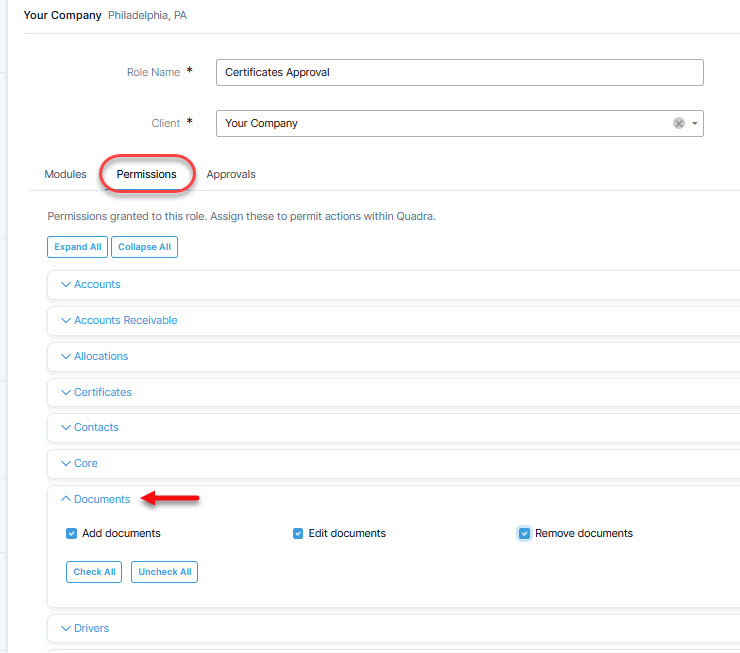
There is a new ‘Edit documents’ permission to control who can use this feature. All roles that previously had ‘Remove document’ have this permission as well.
New edit permission is listed in the Roles section in Administration:
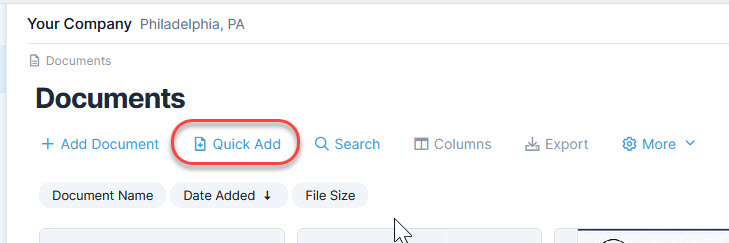
There is a new ‘Quick Add’ link that allows users to add files directly to the grid without navigating to a browse/upload page. You may add up to five files at a time.
Along with this feature is the ability to drag and drop files onto the Document grids using either view. The drag/drop action triggers the Quick Add process. These enhancements greatly add to the convenience of the Documents module since users can upload files more easily.
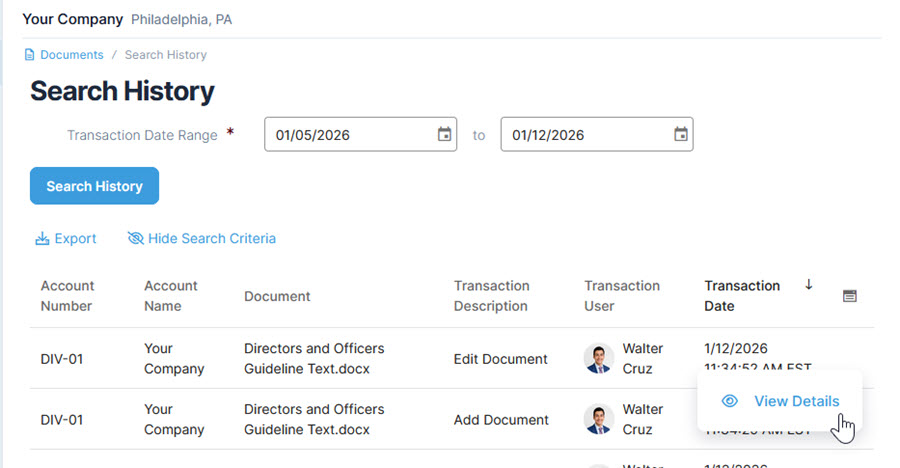
Document history is also available, with details on changes and which users made them.
Use the Quick Add feature or drag and drop to quickly add documents:
View the full document history which includes the before and after values of the fields and who made the changes:
We hope these changes for documents will streamline work for our clients, make files easier to manage, and contribute to overall efficient insurance program administration. Please stay tuned for additional Quadra updates!