Reporting and Performance Improvements

Source: Adobe Stock
With Quadra® release 11.4, we have several improvements supporting allocations and reporting to share. First, we are pleased to announce that a significant update was made to the core infrastructure resulting in a 15% faster processing rate. Additional improvements include options for allocation reporting, new format and numbering settings for invoice reporting, and the ability to view .xlsx reports in Quadra.
Incomplete allocations included in reports for comparison purposes
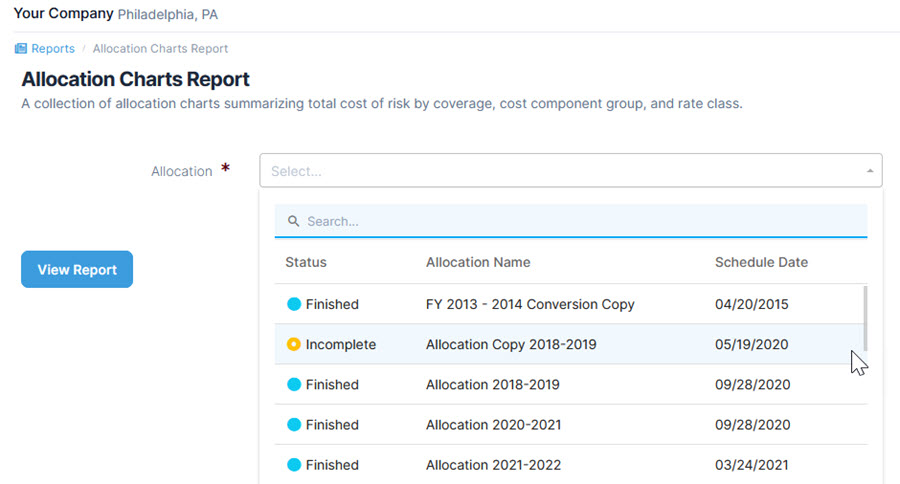
Users can now report from started and incomplete allocations through the Reports module. This feature shows users how a new allocation compares with a previous allocation. If data is entered for a new allocation but the allocation is not started, reports can still be run for comparison purposes. Allocations with an ‘Incomplete’ status are now available from the picker controls when selecting allocations for a report.
Please note that while allocations with an ‘Incomplete’ status will be available for charges/asset change reports, no data will be visible since only started allocations with invoices and asset changes generated will have data to report from.
In the drop-down menu, allocation statuses are now visible, plus allocations with a status of ‘Incomplete’ are available for selection when creating a report:
New format option for invoice reporting
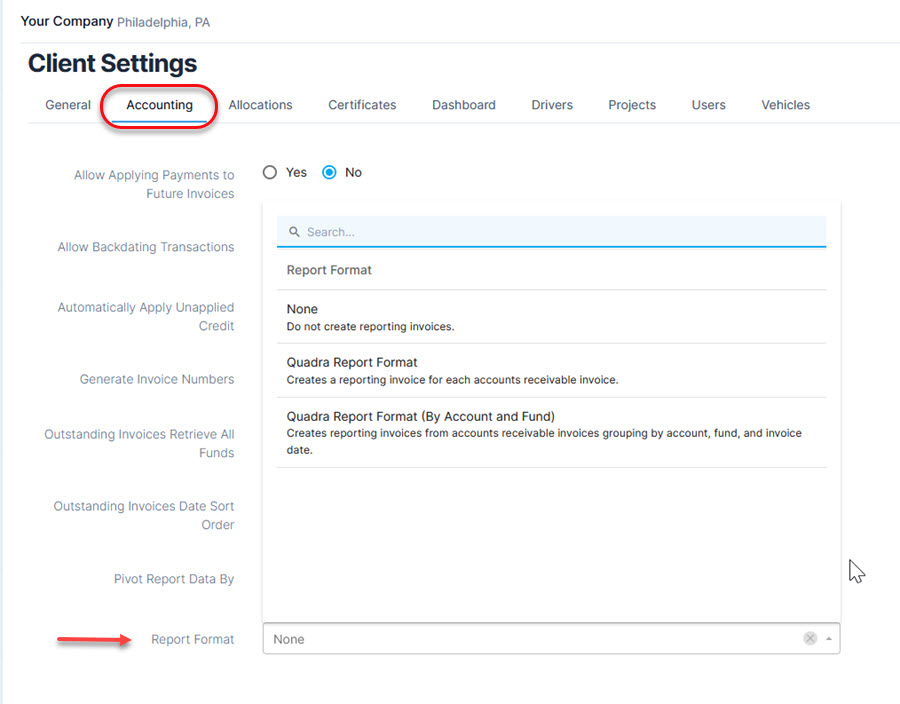
In Administration, a new client setting has been added to the Accounting section. With this setting, users can select a report format for manually entered invoices. Since many of our clients regularly import A/R data into Quadra, this feature greatly simplifies the invoice management process.
In Administration, under Client Settings, a new Report Format setting is available for manually entered invoices:
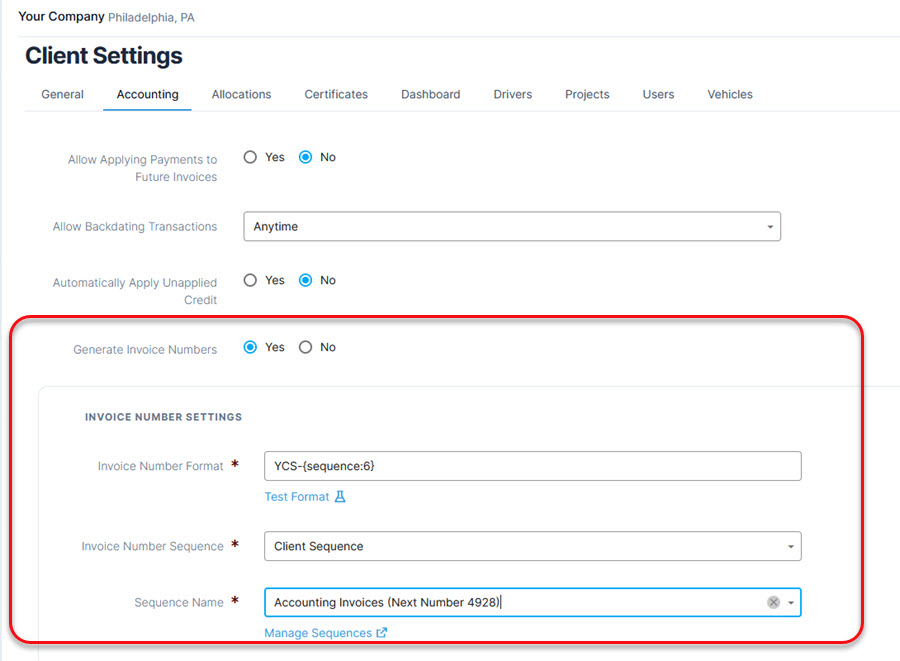
In addition to this new report option, an automatic invoice numbering system is now in place for invoices that are added manually or imported. Built on the expanded invoice numbering options released with v11.3.4, this is another setting available under Client Settings in Administration. This option gives users the ability to automatically number invoices using a custom sequence and it is separate from the number generation settings available within the Allocations module.
Create and add custom number sequences as needed for invoices that are added manually or imported:
View report spreadsheets
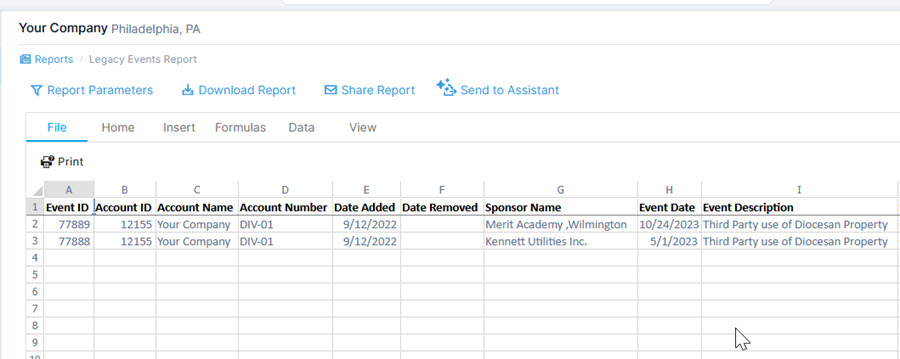
Lastly, users can now view .xlsx reports within Quadra. This feature is an expansion of the spreadsheet viewing capabilities available in other modules such as Documents. With this update, users benefit from greater convenience in viewing and downloading .xlxs reports.
The spreadsheet view is available for .xlsx documents in the Reports module:
We are currently working on more Quadra updates to be released in the coming months!