Import Enhancements

Source: Adobe Stock
With Quadra® release 11.3 we are pleased to announce several new capabilities for the import tool, which enables a smooth transfer of records from outside systems. Other enhancements have been released supporting user-defined field management and accounts receivable.
Imports
Quadra’s import wizard was created to support the onboarding of new clients and their existing data. The wizard has several steps including Upload file, Choose options, Validate data, and Update Quadra. Several features have been added to the Validate Data step in which Quadra reviews the file and checks the rows for compliance with field requirements.
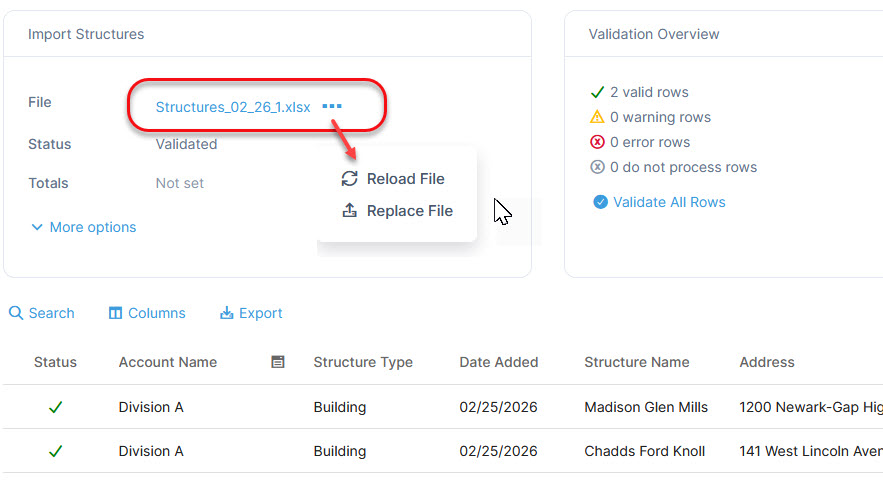
In this release, a Reload File option has been added to the Validate Data step. If a quick edit is needed in an Excel file, users can click the file link and edit the document directly within Quadra through the document viewer. Once the edits are saved, clicking ‘Reload File’ will trigger the staging and validation process for the revised document. This feature is only available for Excel import files.
Additionally, a Replace File option has been added to this step. This allows users to upload a new file which will trigger the staging and validation process.
Reload and replace file options are available from the ellipsis next to the file name on the Validate Data step in the import process. Clicking the name of the Excel file will open the document in the document viewer:
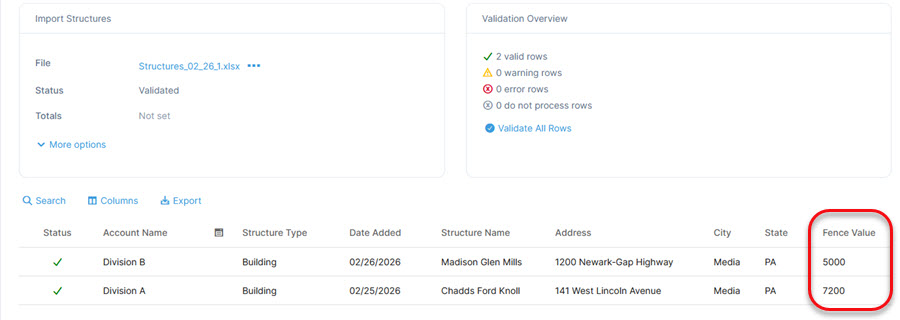
For data imports, user-defined fields (UDFs) are now displayed in the import preview grid. This allows users to see the values in the grid prior to importing.
View user-defined fields in the import preview grid:
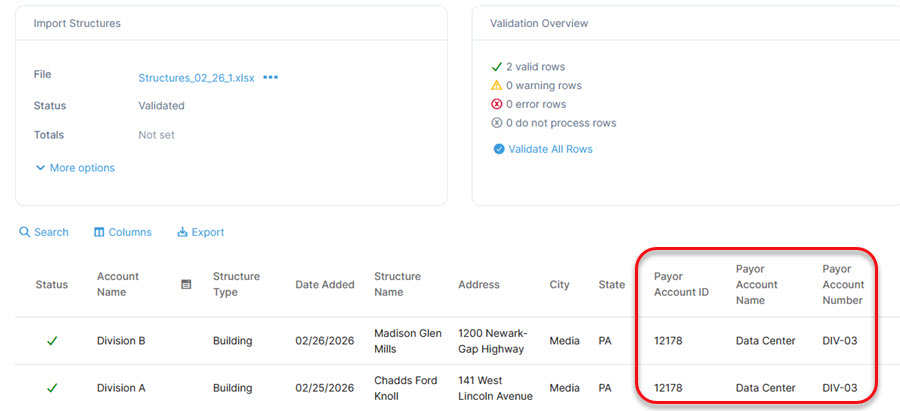
Note that with v11.3 payor fields can be imported for structures and vehicles. Previously other exposures were the only assets that allowed payor data to be imported.
Import payor fields for structures and vehicles:
Fund Management
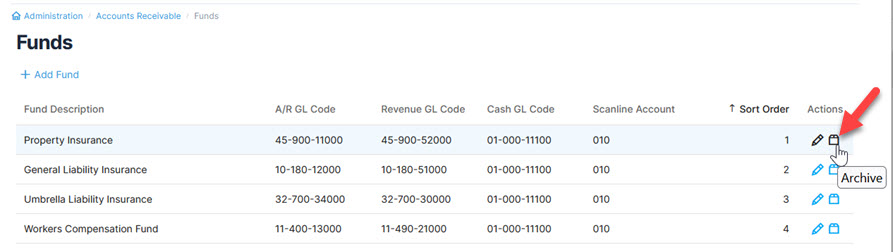
Another update has been made to the Accounts Receivable module. In A/R Administration, funds can no longer be deleted. Instead, they can be archived. An archived fund will become inactive and will no longer appear in the A/R module or reports. This action is reversible if needed.
In the Accounts Receivable - Funds section of Administration, the Delete icon has been replaced by the Archive icon. Archiving a fund makes it inactive and removes it from the A/R module and reports:
User-Defined Field Management
User-defined fields are used extensively by all our clients. They provide a substantial level of customization since they are designed to accommodate many kinds of data points unique to an organization. Along with a few other updates to UDFs, we have restructured user-defined field tables for faster processing and querying.
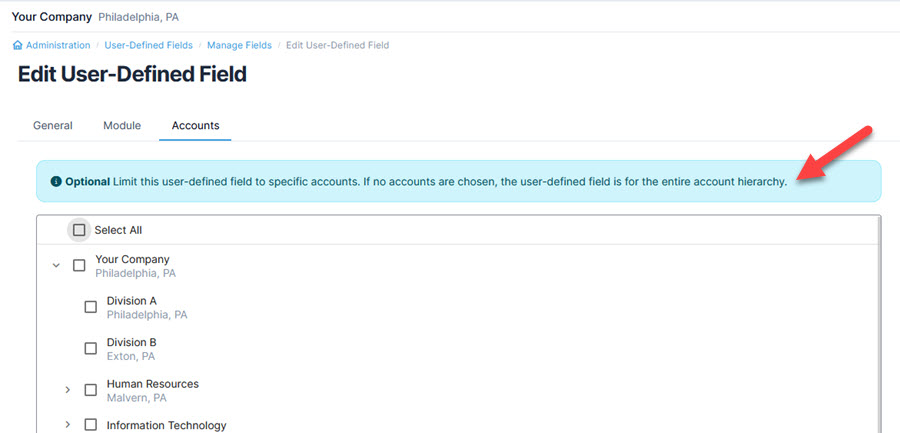
Within the account selection tab for field management, the feature has been updated so if no accounts are selected, the UDF will automatically apply to all accounts.
For UDF management in the Accounts tab, not selecting any accounts will include the field in all accounts:
We hope these updates in Quadra improve the import process and streamline user-defined management tasks. Stay tuned for more updates in the coming weeks!