Options for Customization

Source: Adobe Stock
We have several updates to announce from the 11.0.4 and 11.1 releases of Quadra® that include new options for the interface, the allocation process, projects, user preferences, and administration. These releases include a significant number of enhancements intended to expand customization and usability.
Allocations
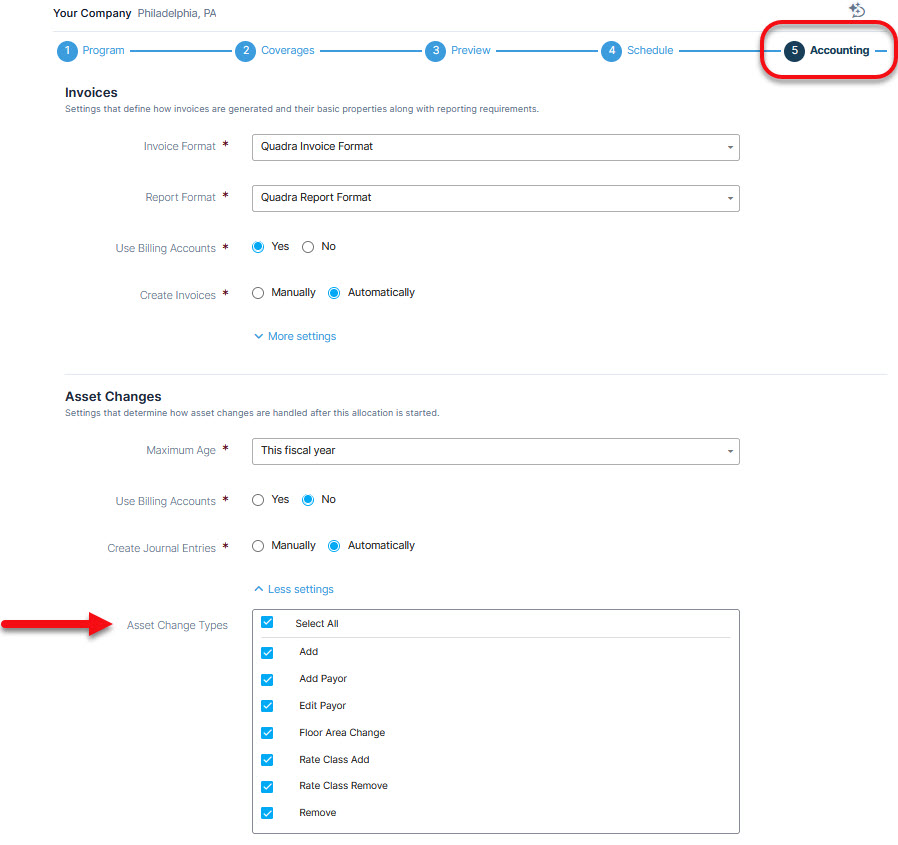
Updates with 11.1 provide new options for allocations and administration features. Users can now specify the type of asset changes captured by the allocation process. The types, which include adding and removing assets, changing rate classes, changing values, and others, can now be selected so the allocation will only reflect those changes.
Asset change types can be selected in the Accounting section in the allocation wizard:
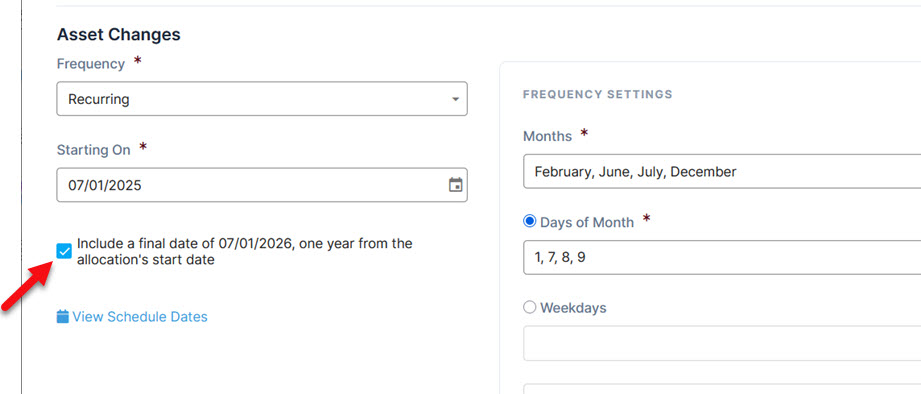
Asset changes can now run from the last asset change date to the end of the period.
Select this option in the Schedule tab to include a final asset change date one year from the start date. The start date will be listed under the Allocation section of this tab:
Administration
Several updates have been made regarding administration settings. In the Administration module, a category of permissions was added to the Roles section that gives users individual module administration access.
A notice has been added under the permissions section for Roles indicating that module access means users in the role will be able to view, edit, and remove module data shared by all accounts.
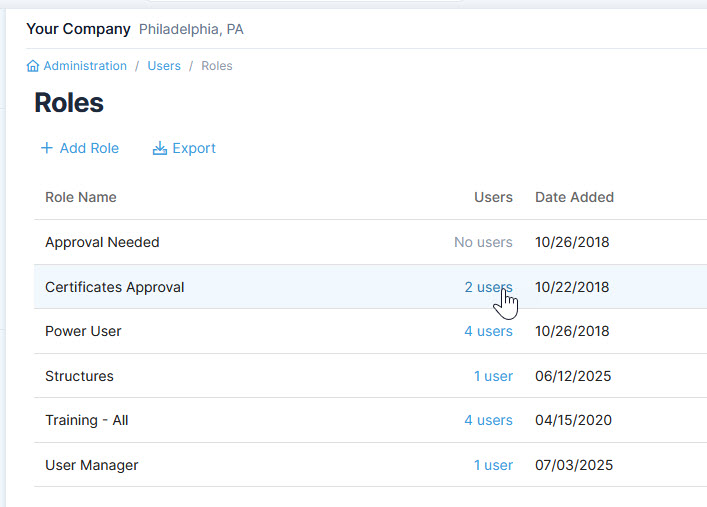
Also, the ability to view users from the Roles grid has been added.
Under Roles, click the link under the Users column to display the list of those assigned to the role:
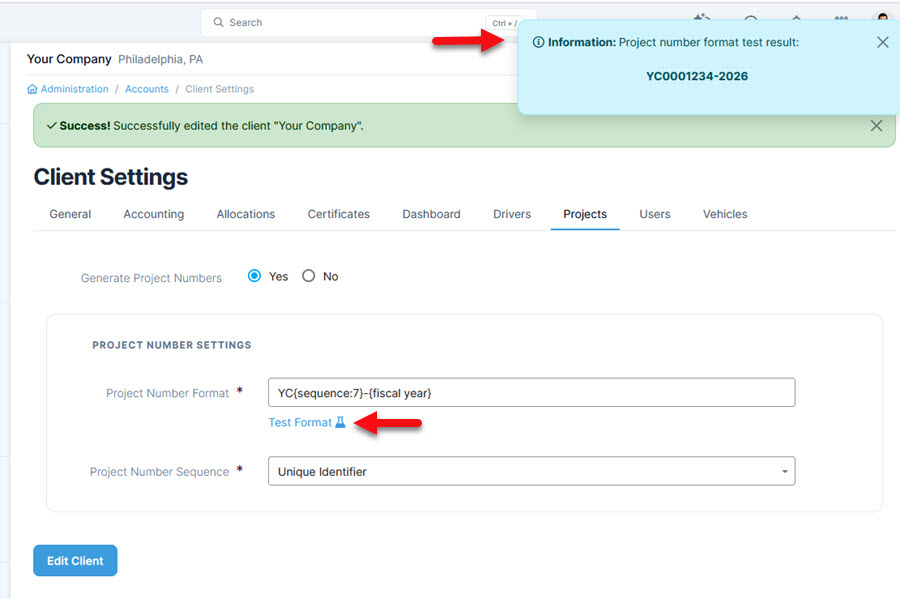
There are several significant changes to Administration and the Projects module. For the Projects module, we have added the ability to generate a project number, which is managed in Client Settings. The numbering option in Client Settings was added to assist with the search and navigation of Projects.
Under the Project section in Client Settings, create a numbering sequence and use the testing link to see how the sequence will appear:
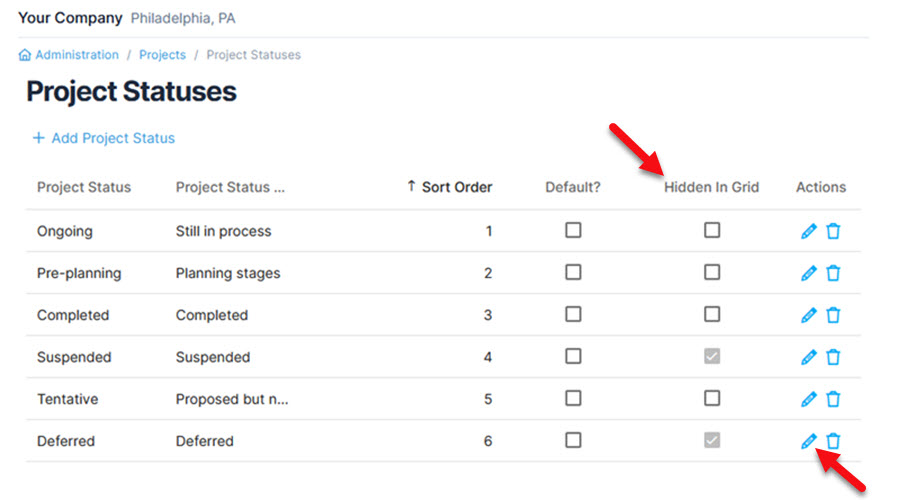
Also within the Projects module, a new option has been added to the Project Statuses section allowing a status to be hidden from the module grid. Project Statuses are accessed from Administration.
Under Project Statuses, click the edit icon to select ‘Hidden in Grid’ and then save:
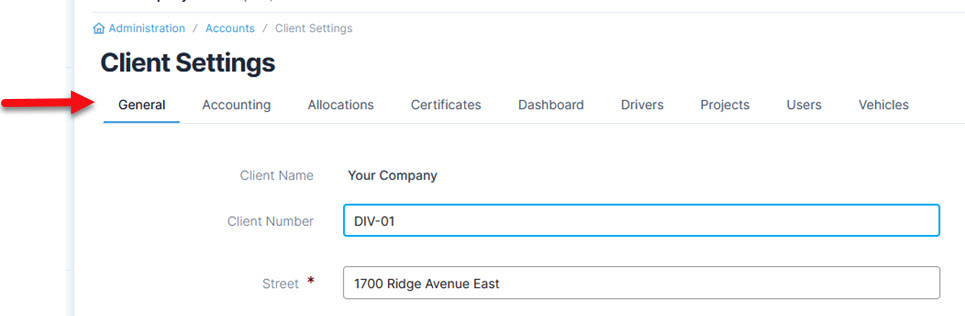
For the Client Settings, the layout has been changed so it can be viewed more easily with underlined tabs:
Your Account
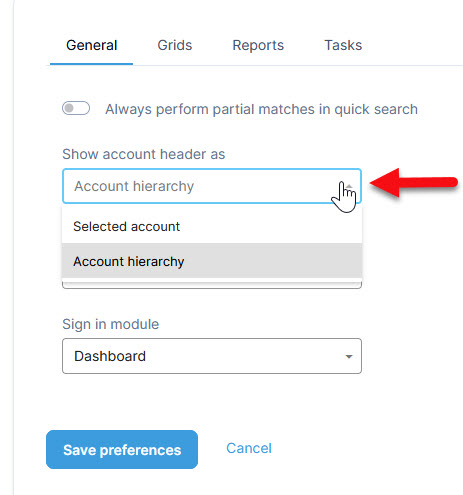
In Your Account, there is a new preference allowing users to select an account header format with options to display the selected account only or the selected account with all parent accounts.
The option for the account header display type is available in the Preferences section under Your Account:
If you select Selected account, only the selected account will show at the top:

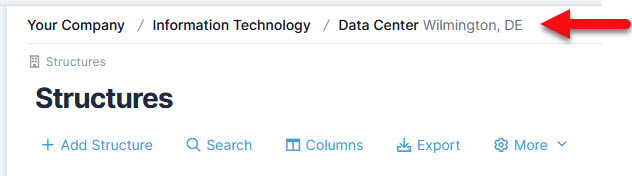
If you select Account hierarchy, the selected account and its parent accounts will also be visible:
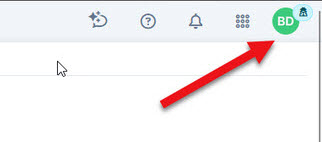
For user profiles that do not have a photo uploaded, initials are displayed to give more personalization to the profile picture. This change was made so the profile section aligns more closely with current interface conventions.
For users with no photo uploaded, initials are displayed:
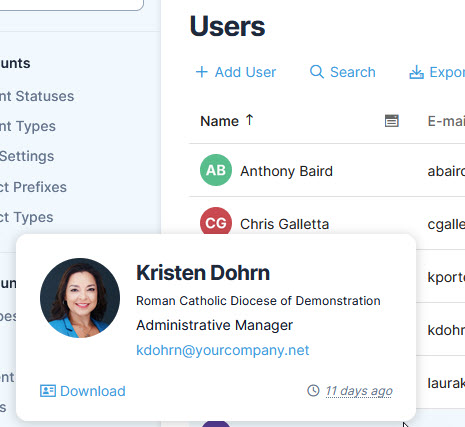
Also, there is a new feature in the sections of Quadra where users are listed. For functions such as Search History you can open a window with the user’s profile information.
In sections where users are listed, click on a profile picture to open a user's profile information:
Other Enhancements
Additional updates with 11.0.4 include a longer prefix allowed for accounts and contacts to be imported (extended to 50 characters), description fields for ACORD forms can fit lengthier descriptions without truncation, and the Projects module has been added to the 'Merge account' feature.
We are thankful to our clients whose feedback allows us to improve Quadra’s functions that help insurance management tasks run smoothly. Stay tuned for more updates!