Table of Contents
Renew Auto ID Cards
To renew a batch of auto ID cards and prepare them for sending or printing, use the Reports module.
You will need to select an active business auto master policy as a parameter before running the report.
- Open the Reports module of the account that you plan to edit.

- In the Reports grid, find the report titled Renew Vehicle ID Cards. This report generates vehicle identification cards for all vehicles tied to the current account's master policy.

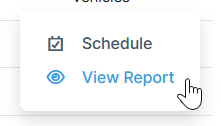
- Under the action menu, select View Report.
- Set the parameters for the report by filling in the fields. You will need to select a master policy that generates info for the cards.
- Select View Report. You will then have the option to share or print the report. Read more about viewing Reports.
Sending Renewed Auto ID Cards Through Email Builder
You can use Email Builder in Administration to distribute renewed auto ID cards. This method involves setting up an email with an attached report
Please note that using Email Builder to send auto ID cards relies on having a contact email address for each account that has vehicles. Email Builder automatically sends reports based on account contact info.